# Welcome to cap/samples
Find here a collection of samples for the [SAP Cloud Application Programming Model](https://cap.cloud.sap) organized in a simplistic [monorepo setup](samples.md#all-in-one-monorepo).

## Get Started
Assumed you did your [initial setup of CAP Node.js](https://cap.cloud.sap/docs/get-started/#setup), simply copy and paste these lines to a terminal for a jumpstart:
```sh
git clone -q https://github.com/sap-samples/cloud-cap-samples cap/samples
cd cap/samples
npm install
npm test
npm start
```
After download and setup this starts the bookshop app and opens a browser window on http://localhost:4004 looking like that:
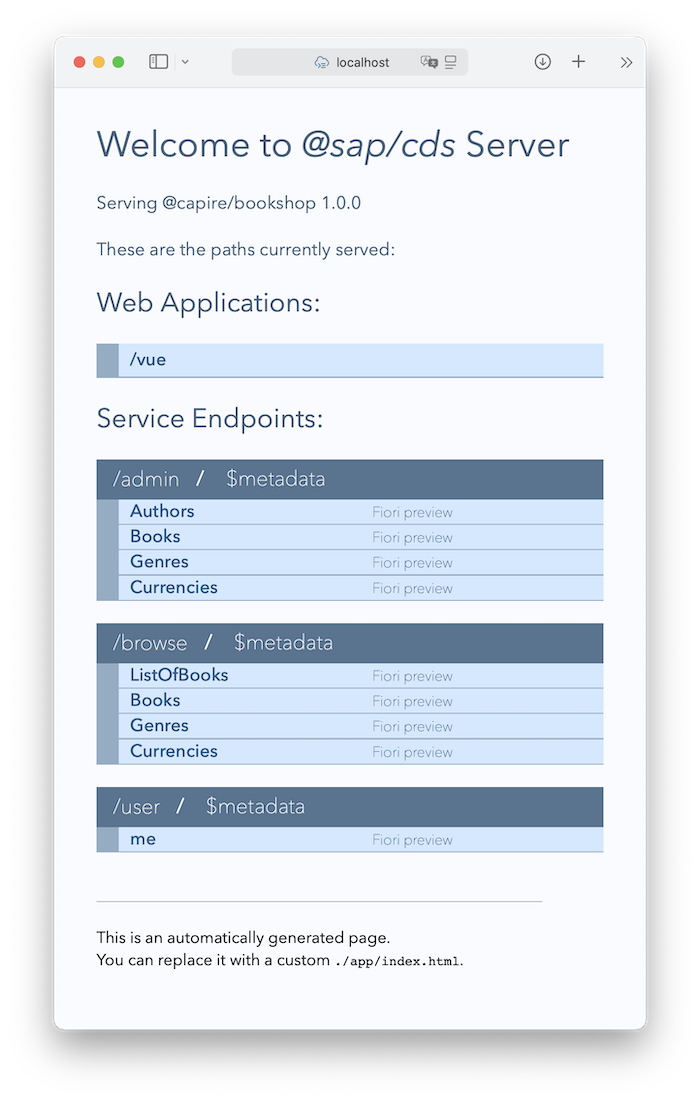
Click on the *[/vue](http:/localhost:4004/vue)* link at the top to display the bookshop app (when asked to log in, type `alice` as user and leave the password field blank).
## Grow as you go...
[See Overview of contained samples](samples.md):

## Get Help
- Visit the [*capire* docs](https://cap.cloud.sap) to learn about CAP, especially the [*Getting Started in a Nutshell*](https://cap.cloud.sap/docs/get-started/in-a-nutshell) guide.
- Visit our [*SAP Community*](https://answers.sap.com/tags/9f13aee1-834c-4105-8e43-ee442775e5ce) to ask questions and get help.
## License
Copyright (c) 2022 SAP SE or an SAP affiliate company. All rights reserved. This file is licensed under the Apache Software License, version 2.0 except as noted otherwise in the [LICENSE](LICENSE) file.